
How to Install and Set Up STB Emulator IPTV on Android TV & Firestick
Want to use a MAG-style IPTV interface on an Android TV box or compatible Amazon Firestick? STB Emulator (STB Emu) is an application designed to emulate certain set-top-box functions and connect to compatible Stalker Portal IPTV services.
Unlike many IPTV applications that use Xtream Codes usernames and passwords, STB Emu is commonly configured with a Stalker Portal URL and MAC Address.
This step-by-step tutorial explains how to install STB Emulator, create a profile, configure your IPTV portal, register the correct MAC Address, and troubleshoot common connection problems.
If you're comparing Stalker-compatible subscriptions, explore premium IPTV server options at BossTV and confirm which packages support MAC Address activation.
1. What Is STB Emulator (STB Emu)?
STB Emulator, commonly called STB Emu, is an IPTV application that recreates aspects of the interface and behavior of certain MAG set-top boxes on supported Android-based devices.
The application is commonly used with IPTV services that support Stalker Portal authentication.
Depending on device and software compatibility, STB Emu may be used on:
- Android TV boxes
- Supported Android TV devices
- NVIDIA Shield TV
- Compatible Amazon Fire TV devices
- Some Google TV devices
- Android smartphones and tablets
Availability and compatibility vary by operating system, hardware, and application version. Not every Fire TV or Google TV device supports the same installation method.
2. STB Emu Free vs. STB Emu Pro
STB Emulator has been offered in different editions, including a free version and a paid Pro edition.
The free edition has traditionally included advertisements, while the Pro edition offers an alternative experience without those advertisements.
Check the current app listing for exact pricing, features, and availability.
BossTV's original guide mentions Pro edition access for customers. If this is included with your particular subscription, confirm the current availability and approved installation method directly with BossTV before relying on it.
3. What You Need Before Setting Up STB Emu
Before beginning, prepare the following:
- A compatible Android-based streaming device
- A stable internet connection
- The STB Emulator application
- An active IPTV subscription supporting Stalker Portal
- The correct Stalker Portal URL
- The MAC Address required for subscription activation
- A compatible remote control or navigation method
An IPTV account that supports only Xtream Codes or M3U may not work with STB Emu unless the provider also offers Stalker Portal access.
4. How to Install STB Emulator on Android TV
On compatible Android TV devices, the simplest installation method is through the supported application store.
- Turn on your Android TV box or supported Android TV device.
- Connect it to the internet.
- Open Google Play Store.
- Search for STB Emu or STB Emulator.
- Verify the application listing and publisher.
- Select the appropriate version.
- Install the application.
- Open STB Emu after installation.

If the application does not appear in your device's app store, check the developer's compatibility information before attempting an alternative installation.
5. Can You Install STB Emu on Amazon Firestick?
Some Android-based Fire TV devices can run compatible versions of STB Emulator.
If the application is unavailable through a supported app store, certain Fire OS devices may allow installation using a trusted APK from the application developer.
However, not all Fire TV models use the same operating system or permit the same installation process.
Before installing STB Emu on Firestick:
- Confirm that your Fire TV model supports the application.
- Check the operating system requirements.
- Use an official or trusted application source.
- Avoid unknown APK download links.
- Confirm that your IPTV subscription supports Stalker Portal authentication.
6. Open STB Emu Settings
After installing STB Emulator, the next step is opening its configuration menu.
- Launch STB Emu.
- Wait for the application interface to appear.
- Open the application menu using your remote control.
- On some devices, pressing and holding OK or Select opens the menu.
- Choose Settings.
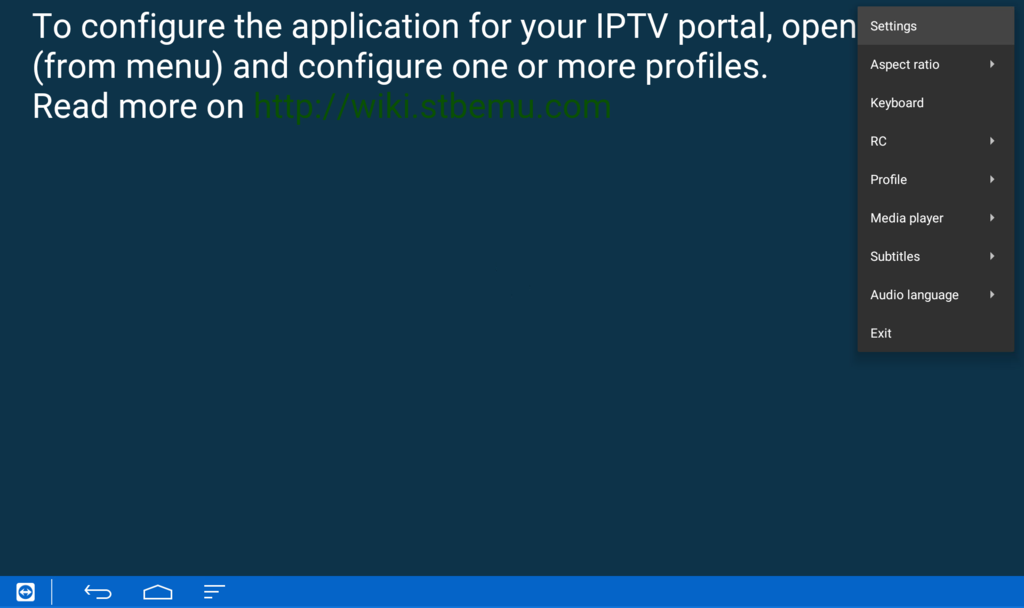
Remote-control shortcuts may vary depending on the device and installed STB Emulator version.
7. Create a New STB Emulator Profile
STB Emu uses profiles to store connection settings for compatible IPTV portals.
To create a profile:
- Open the STB Emulator settings menu.
- Select Profiles.
- Choose New Profile.
- Open the new profile's settings.
- Select Profile Name.
- Enter a recognizable name, such as BossTV IPTV.
- Save the profile name.
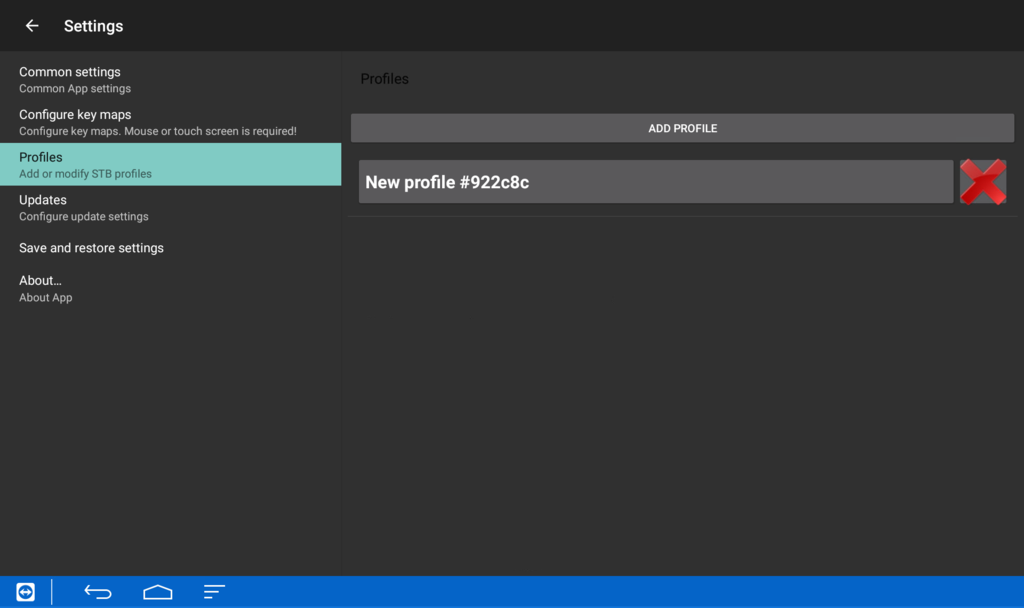
Using a recognizable profile name can make it easier to manage more than one portal configuration.
8. Enter the Stalker Portal URL
The Stalker Portal URL tells STB Emulator which compatible IPTV portal to connect to.
To configure the portal:
- Open your STB Emu profile.
- Select Portal Settings.
- Find the Portal URL field.
- Remove any default or example URL.
- Enter the Stalker Portal URL supplied by your IPTV provider.
- Save the changes.
Enter the complete portal address exactly as provided. A missing character, incorrect protocol, or extra space may prevent the connection from working.
The BossTV homepage address is not itself an IPTV portal URL. Use the portal details supplied for your specific subscription.
9. Configure the STB Emu MAC Address
Many Stalker Portal IPTV services use MAC Address authentication to identify an authorized set-top-box profile.
STB Emu allows you to view or configure the MAC Address associated with its emulated device profile.
MAC Address Configuration Steps
- Open STB Emu Settings.
- Select the profile you created.
- Find STB Configuration.
- Select MAC Address.
- Review the MAC Address displayed by the application.
- Use the MAC Address registered for your IPTV subscription, following the provider's instructions.
- Save the configuration if any authorized changes are needed.
An emulated STB MAC Address may use a format beginning with 00:1A:79, but the required value depends on the provider's activation process.
Do not use another customer's MAC Address or attempt to bypass subscription activation. The configured identifier must be authorized for your account.
10. Activate Your IPTV Subscription in STB Emu
After configuring the portal and MAC Address, your IPTV subscription may need to be activated or associated with the configured identifier.
For a provider-managed activation process:
- Confirm that your subscription supports Stalker Portal.
- Check the portal URL supplied for your package.
- Identify the MAC Address configured in STB Emu.
- Provide the required information through the provider's approved support or activation channel.
- Wait for confirmation that the account is ready.
- Restart or reload the portal connection.
Activation procedures vary between IPTV services. Some accounts may already be registered before you begin the setup.
11. Restart STB Emu and Load the IPTV Portal
Once the portal configuration and activation are complete, return to the STB Emulator main screen.
- Exit the settings menu.
- Return to the STB Emu main interface.
- Open the application menu if needed.
- Select the option to reload the portal or restart the application.
- Wait for the connection attempt.
- Check whether the IPTV portal loads successfully.
Some STB Emulator versions display a loading bar during connection. The appearance of this indicator can vary by version and does not guarantee successful authentication.
If the portal loads correctly, you can begin navigating the available channels and menus.
12. STB Emu vs. Xtream Codes IPTV Players
STB Emulator is designed primarily for MAG-style and Stalker Portal workflows, while many other IPTV players focus on Xtream Codes or M3U connections.
| Feature | STB Emulator | Typical Xtream Codes Player |
|---|---|---|
| Primary Connection | Stalker Portal | Xtream Codes API |
| Common Login Information | Portal URL and MAC Address | Server URL, username, password |
| Interface Style | MAG-style set-top-box experience | App-specific channel interface |
| Best Use Case | Authorized portal-based subscriptions | Compatible Xtream Codes subscriptions |
Neither format is automatically better for every user. The correct choice depends on your subscription, device, and preferred application.
13. Troubleshooting Common STB Emu Problems
STB Emulator Portal Not Loading
Check the portal URL, internet connection, subscription status, and MAC Address registration.
Authentication Failed
Confirm that the MAC Address configured in STB Emu matches the identifier authorized by your IPTV provider.
Black Screen After Loading
Try another available channel, restart the application, and check whether the service is experiencing a temporary issue.
STB Emu Keeps Buffering
Test your internet connection, reduce Wi-Fi interference, and review the application's available playback settings.
Remote Control Not Working Properly
Check the remote's navigation mode, pairing status, and application-specific controls.
Media Player Error
Some STB Emulator versions offer alternative playback options. If available, test another supported media player and compare playback behavior.
Portal Worked Before but Suddenly Stopped
Check whether the portal URL has changed, the subscription is still active, or the provider requires updated activation information.
14. Choosing an IPTV Subscription for STB Emulator
When choosing an IPTV service for STB Emulator, prioritize compatibility with Stalker Portal and authorized MAC Address activation.
Important factors to compare include:
- Stalker Portal support
- MAC Address activation requirements
- Supported streaming devices
- Channel categories
- Subscription duration
- Simultaneous connection limits
- Video-on-Demand availability
- Electronic Program Guide support
- Setup instructions and customer assistance
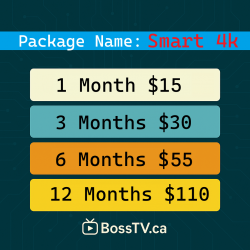
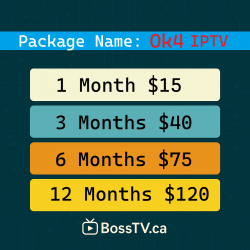
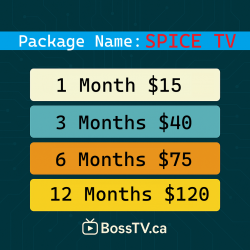
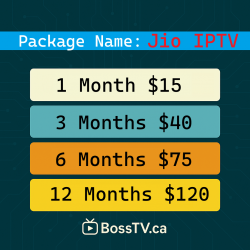
If you're searching for a reliable IPTV provider, review BossTV's package details and confirm that your selected subscription supports STB Emulator before ordering.
Frequently Asked Questions About STB Emulator IPTV
What is STB Emulator used for?
STB Emulator recreates aspects of a MAG-style set-top-box environment on supported Android devices and is commonly used with compatible Stalker Portal IPTV services.
Does STB Emu work on Firestick?
Some compatible Android-based Fire TV devices can run STB Emulator. Availability and installation methods depend on the device and operating system.
Can I use STB Emu on Android TV?
Yes, on supported Android TV devices where the application is compatible and available.
Does STB Emu require a MAC Address?
Many Stalker Portal subscriptions use a MAC Address associated with the emulated device profile. Activation requirements depend on the IPTV provider.
What is the STB Emu Portal URL?
The portal URL is the server address supplied by a compatible Stalker Portal IPTV provider. It is entered in the application's Portal Settings.
Can I use Xtream Codes in STB Emulator?
STB Emu is primarily associated with Stalker Portal connections. If your subscription only provides Xtream Codes login, use an IPTV application that supports that format.
Is STB Emu Pro free?
STB Emu has been offered in free and paid editions. Check the current application listing and any provider-specific arrangements for pricing and availability.
Can I create multiple profiles in STB Emulator?
Supported versions allow users to configure profiles for different portal settings. Each subscription must be properly authorized and activated.
Why is STB Emu not connecting?
Common causes include an incorrect portal URL, an unregistered MAC Address, expired subscription, internet connection problems, or temporary service issues.
Is STB Emulator legal?
STB Emulator is software for emulating supported set-top-box functions. The legality of television content access depends on authorization, distribution rights, and applicable laws.
Final Thoughts: Setting Up STB Emulator Successfully
Learning how to set up STB Emulator IPTV involves understanding the relationship between the application, Stalker Portal URL, MAC Address, and subscription activation.
Once you install a compatible version of STB Emu, create a profile, enter the correct portal details, and confirm that your MAC Address is authorized, you can connect to the available television service.
If you're choosing a subscription for STB Emulator, review the supported connection methods before ordering and use the provider's official activation instructions.
Related Products